The defineSpriteSheet method
| Syntax: | defineSpriteSheet(number frameCount, number cols, number rows, number fps) |
|---|---|
| Returns: | nil |
Tell the engine to treat the image of the sprite as a sprite sheet. For example, this image
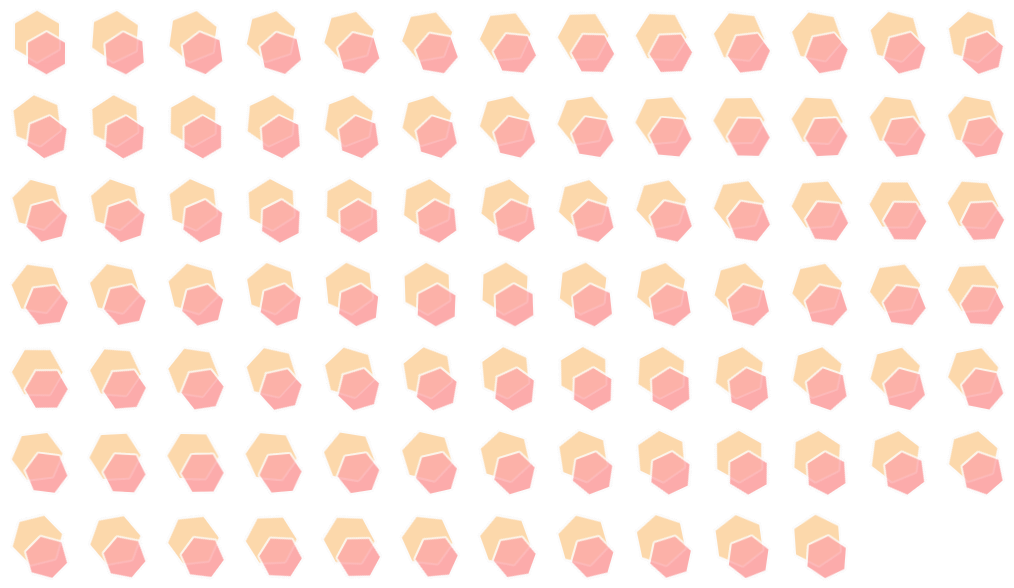
results in the following animation:

Parameters
| Type | Name | Description |
|---|---|---|
| number | frameCount | The number of frames of the animation |
| number | cols | The number of columns the sprite sheet has |
| number | rows | The number of rows the sprite sheet has |
| number | fps | The framerate of the animation in frames per second |
Remarks
If the framerate is 0, the animation won’t play and you will be able to manually
set which frame to display using the setFrame function.
Examples
-- Create an sprite using the previous sprite sheet as the image
animated = Sprite.new("sprite sheet.png", 1)

-- Define the properties of the sprite sheet
-- 89 frames, 13 columns, 7 rows, 60 FPS
animated:defineSpriteSheet(89, 13, 7, 60)

-- Show the animated sprite
animated:show()