The ClickableMap class
Clickable maps allow you to define several regions on the screen that the player will be able to click. This is done using an image in which each region is represented with a different color.
For example, let’s say we have the following background in our game showing three drawers:
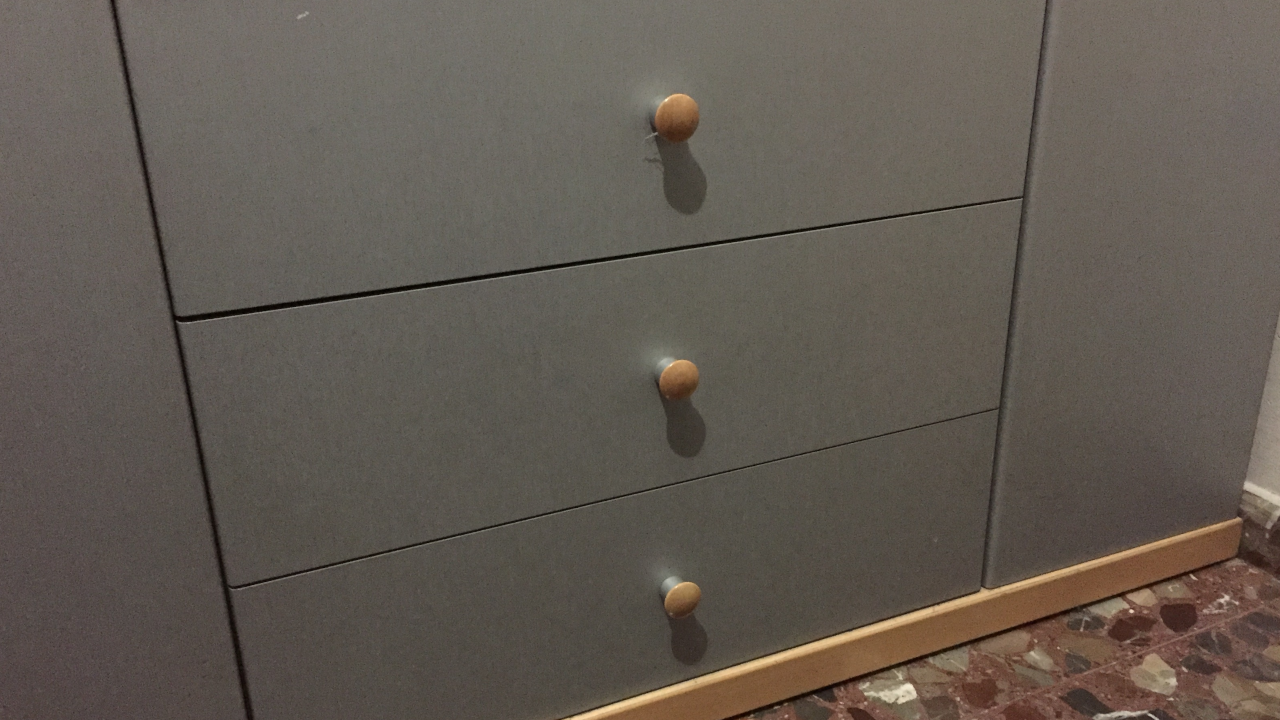
If we want the player to be able to click on the drawers to see what’s inside them, we can create a clickable map using the following image:
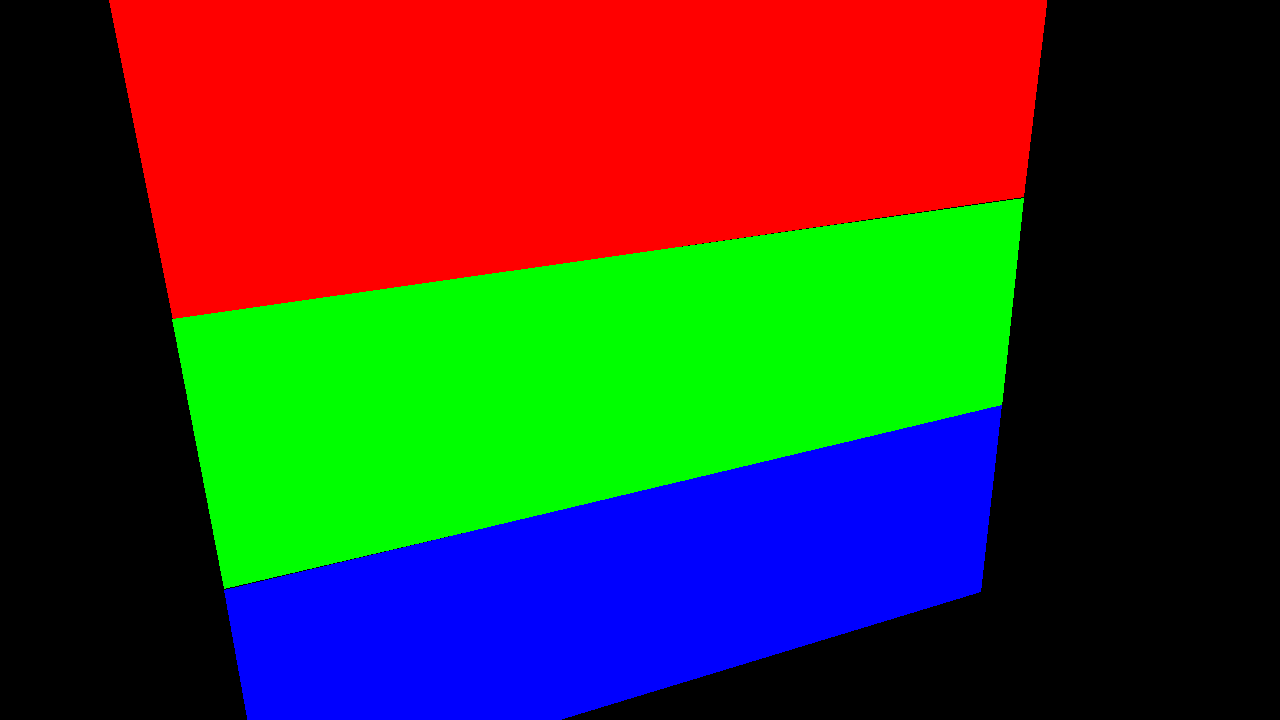
As you can see, each one of the drawers is represented in the second image with a different color: red, green and blue, respectively. These will be the clickable regions of our map.
If there are two separate regions with the same color, the engine will treat them as if they were the same region.
Warning
Make sure your drawing program does not apply anti-aliasing to the border of the regions of the image, as this will alter the color of the pixels around the borders and will cause problems.
Important
Save your images in PNG, BMP or any other image format with lossless compression. JPEG is NOT suitable for this type of images as the compression can alter the color of the regions.
Now, all we have to do is create the clickable map like so:
-- Show the background with the drawers to the player
scene("drawers.png")

-- Create a clickable map using the previous image
map = ClickableMap.new("drawers_map.png")
And then, define the function that will be executed when the player clicks on each region:
-- Define the function to call when the player clicks a region with
-- the color rgb(255, 0, 0)
map:setOnClick(255, 0, 0, function()
    say "This is the first drawer."
    hideText()
end)

-- Define the function to call when the player clicks a region with
-- the color rgb(0, 255, 0)
map:setOnClick(0, 255, 0, function()
    say "This is the second drawer."
    hideText()
end)

-- Define the function to call when the player clicks a region with
-- the color rgb(0, 0, 255)
map:setOnClick(0, 0, 255, function()
    say "This is the third drawer."
    hideText()
end)
Now that the clickable map is defined, we can let the player interact with it:
-- Enable the clickable map
map:enable()
Once the player clicks on a region the map will be disabled automatically. If you
want the player to be able to interact with this map again you will need to call
map:enable() again. You can use a loop for this:
-- The player will be able to examine all of the drawers as many times as they want
-- In fact, it will be the only thing they will be able to do in this game
while true do
    map:enable()
end
You can use any color you want for the regions, and if you only use the red channel
(the green and blue channels are set to 0), there is a shorter version of
setOnClick that only requires you to give a value for that channel:
-- Define the function to call when the player clicks a region with
-- the color rgb(255, 0, 0)
map:setOnClick(255, function()
    say "This is the first drawer."
    hideText()
end)
Properties
| Type | Name | Default value | Description |
|---|---|---|---|
| bool | disableOnClick | true | Sets whether the clickable map will be disabled automatically after the player clicks a region |
| bool | nonBlocking | false | Sets whether the execution of the script should be paused while the clickable map is enabled |
Member functions
| Method | Description |
|---|---|
| (constructor) | Create a ClickableMap object |
| enable | Enable the clickable map |
| disable | Disable the clickable map |
| setOnMouseEnter | Set the function to call when the mouse enters the specified region |
| setOnMouseExit | Set the function to call when the mosue leaves the specified region |
| setOnClick | Set the function to call when the player clicks the specified region |